Thursday, May 8, 2008

Simpsons family

So I was looking around on the internet, and got a good idea for a flash application for the website. I realized that the Simpsons have the same amount of family members as I do, as well as the same sexes of the kids (2 girls and 1 boy). I have below a picutre of the Simpsons that I altered with the threshold. Then on the website I'm going to have the color pictures of each of their heads individually pop up over the black and white, and then go back to black and white. Each character will do this separately. I am having trouble with the photoshop on windows though. I cannot figure out how to put one picture on top of another. Can you try to tell me how to do it? Otherwise I like this idea a lot, and am going to try and work on it more in class because the computers are easier to use there. But here is the threshold picture atleast.

Tuesday, May 6, 2008

graphic


This is a continuation from the last post because here is that last graphic from the website that I messed around with to create my own graphic to put on the website.

Monday, May 5, 2008

flash

I found this cool graphic in which I can break up into pieces, and create a flash with the graphic. This design is cool because all of the little squares I can break up and then overlap them more. I can also change the shape of the pieces, as well as add my own flash to them. When the mouse rolls over the pieces the identities can pop up. When I get photoshop on my computer I will be able to play with this graphic more. I had trouble putting it on my computer, so I was unable to mess with it. I think I can become creative with it especially with the new flash that I learned.

Tuesday, April 29, 2008

flash

Today was an assignment to make crazy eyes. I think I really have the hang of simple flash, and this will allow me to create graphs and flash that will help to create my identity more centralized and put together. I can make an animation that combines my 4 identities into one. I am thinking that they can transform from different images into a central image.

This can be easy and help create my identity better also by putting movies, in movies, in movies etc. I'm going to try and spin graphics as a movie, one for each identity on the homepage, an they will merge into one main identity graphic. Next week after being away this weekend, I am going to create images that I will want to merge together to centralize identity.

video

In my website I want to include video clips taken from my camera, as well as maybe video clips found on the internet. I was wondering if we could learn how to do this, and include some graphics on top of it also. I want to be able to have a graphic text right near the video, and when you click that, the video will pop up and play.

This part with the video can mostly be used in the part of the website where it is about my adventurous identity, and the identity with my girlfriend. Down below is just the layout of youtube. In a way I want my page to kind of look like this after the graphic is clicked and then the video pops up.


I am excited to also create my own animations and graphics in order to make the website my own, and my own created art as well.

Saturday, April 26, 2008

Flash

Now that I have learned flash, I can become creative with different animations to improve the technique of my website. I'm thinking that for my family identity, I can have many animations showing how that identity differs from the others.

Another good thing that I can do with the animations is move my text/graphics around just to be able to make everything on the website more visually entertaining. That is what I am most excited about. I was going to include a lot of text in order to explain the differences in my identities, but by making animated text graphics that makes everything more impressive and entertaining.

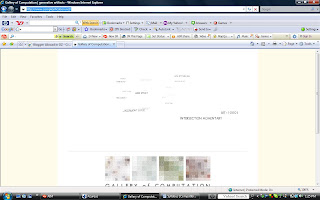
This website that I found (http://www.complexification.net/) have great layering with the varying text. When you scroll your mouse over the different texts the layers change, and the texts get closer or further away. Also when you click on the texts, they get closer, and a picture pops up.

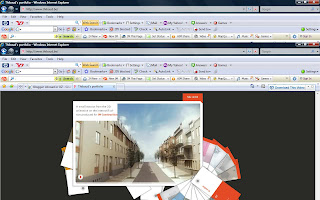
This is another website (http://www.thibaud.be/) that was really cool because of the 3D graphics that change based on where they are clicked on. I like this system, and will try to maybe incorporate that look into my homepage.
Tuesday, April 22, 2008

Flash

From my conversation with a peer last week, my website seems to have good ideas and good flow to it. I also have ideas about how to challenge myself especially that I have never done any of web design before. Today we are learning about flash and illustrator, neither of which I have used before. So this will be a new thing to incorporate into my website.

By using flash I was able to drop an "olive" into a martini glass. Frame by frame moving. I was able to also make a ball hit a bat. This we will be doing next week, so I think I am ready to make an animation